

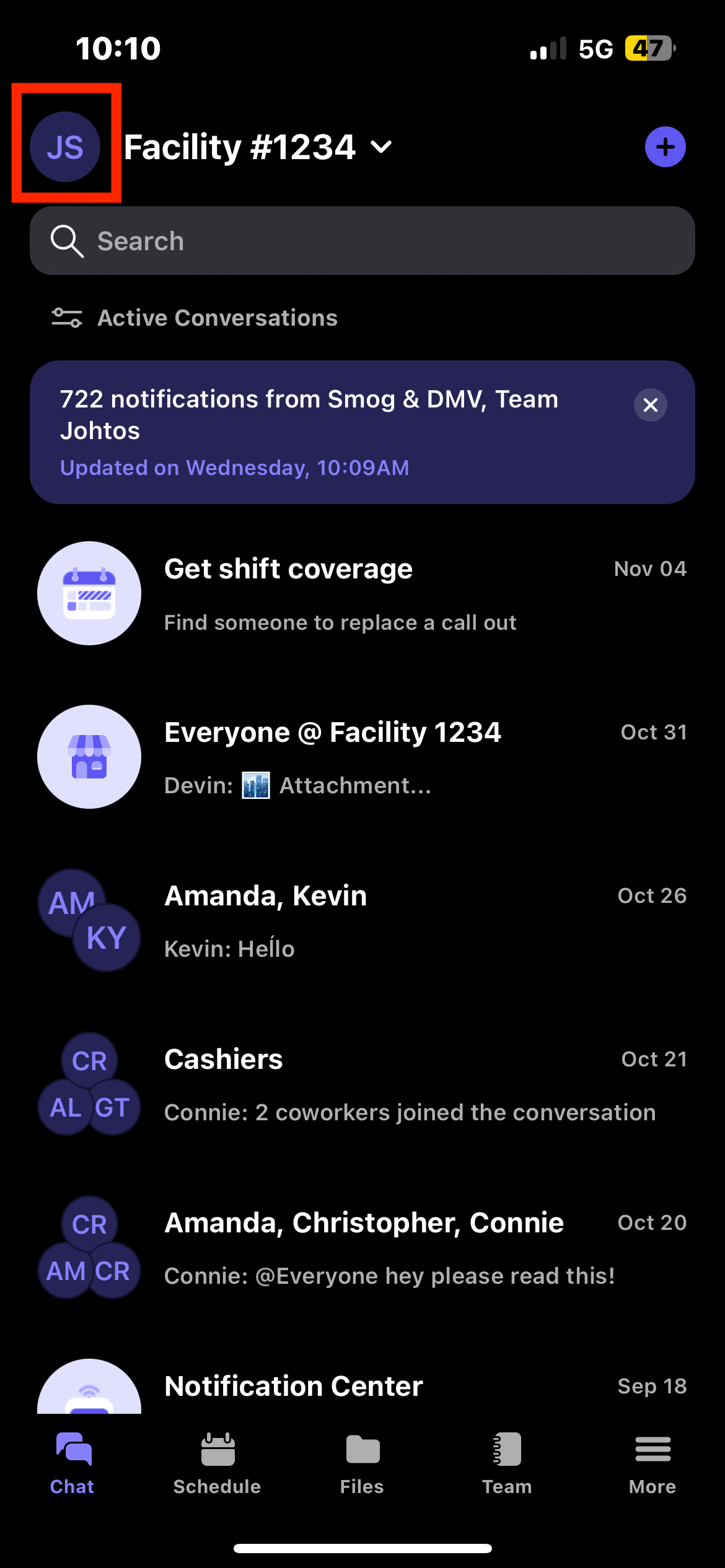
In Breakroom Chat App, we offer a number of ways to customize and mute notifications. To customize your notifications, click on the profile icon in the top left corner and select "Notifications"
If you would like to mute ALL notifications, just toggle on the mute for everything. You can also just mute your scheduling notifications (e.g. Available Shifts, Shift & meeting notifications) or you can mute just your chat notifications.
Note: this would only do this for the one organization you've selected. If you want to mute notifications for multiple organizations, you would have to switch to that organization and follow the same instructions.
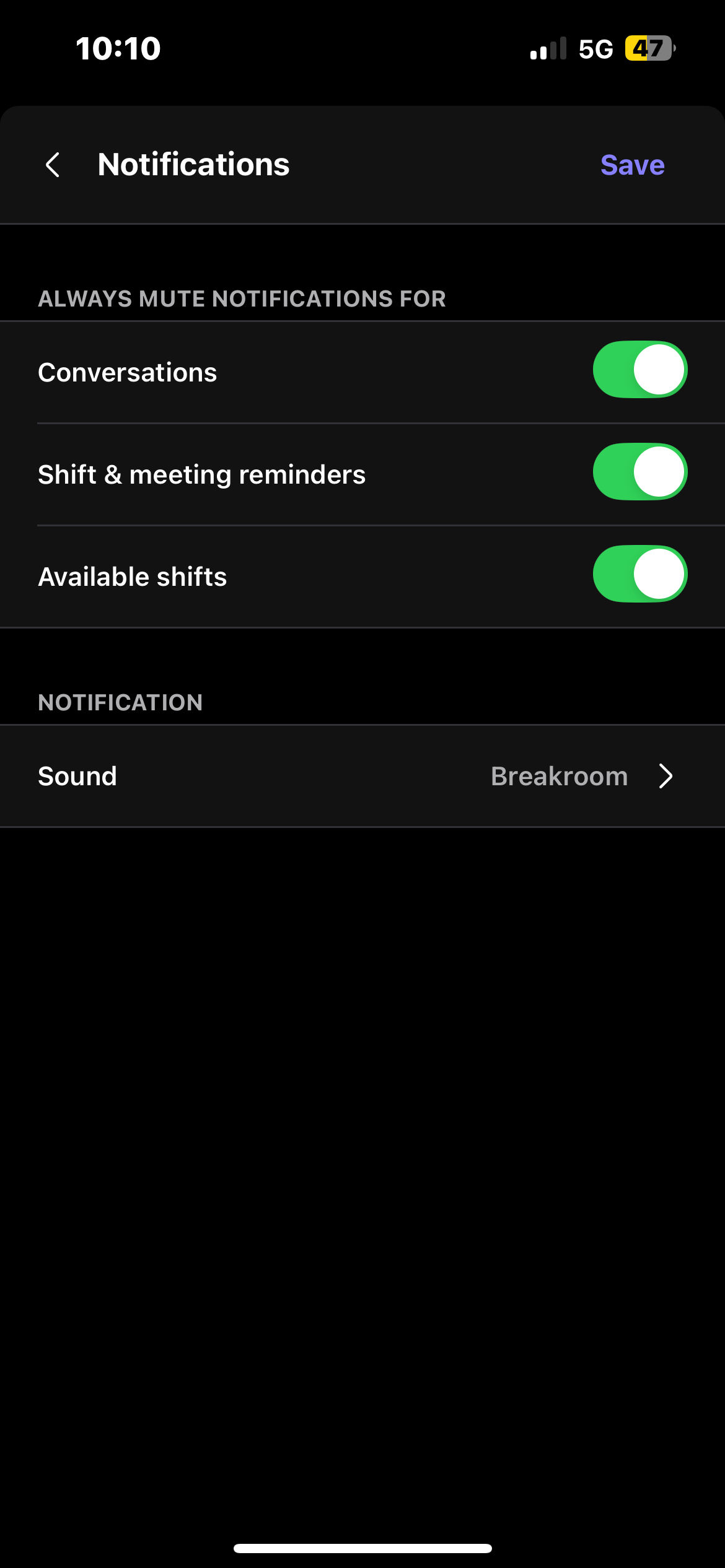
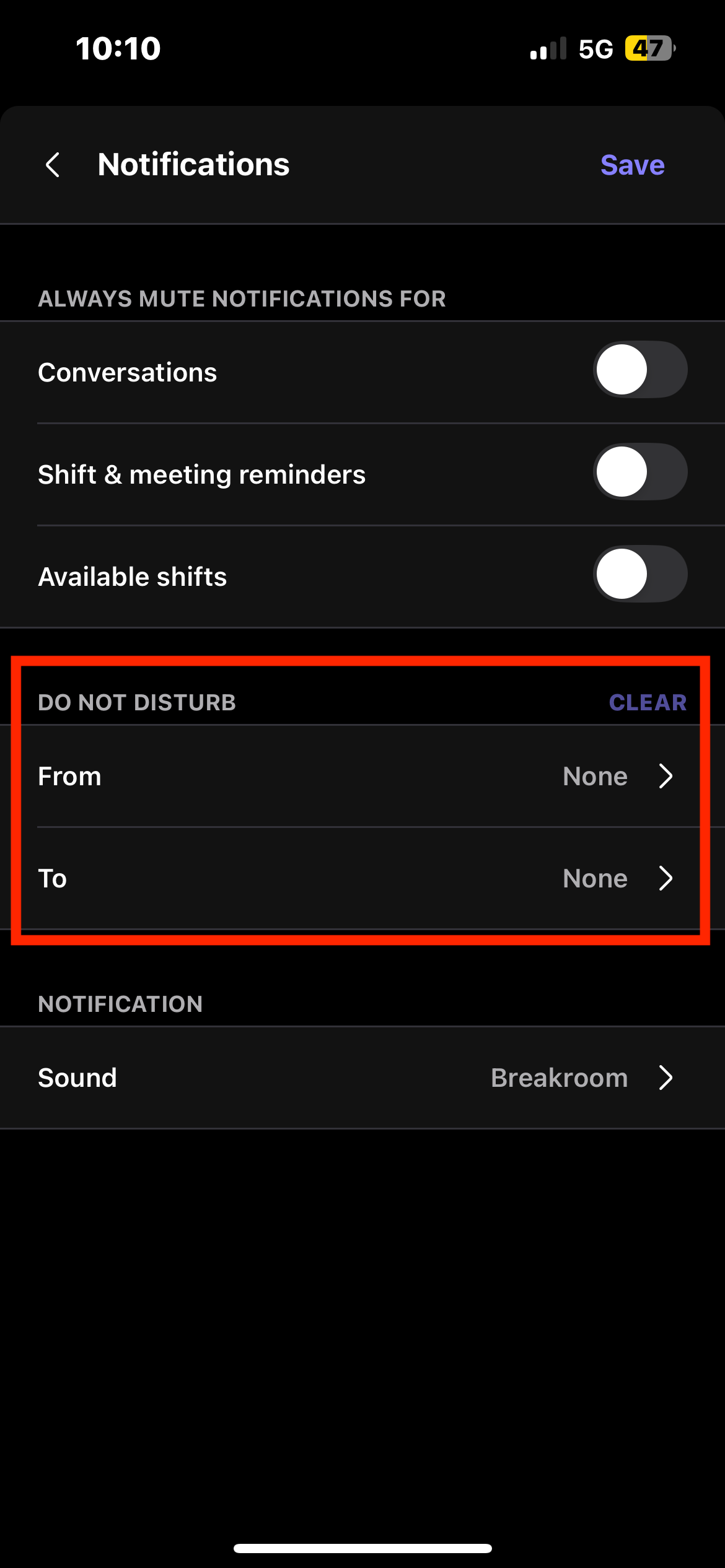
You can also mute notifications for specific times when you are not working. You can do this on the "Notification" settings screen.
Breakroom Chat as a Crew App Alternative
Breakroom Chat as a Slack Alternative
Breakroom Chat as a When I Work Alternative
Breakroom Chat as a Homebase Alternative
Breakroom Chat as a Microsoft Teams Alternative