Your Area Directors Are Always in Stores
They're not sitting in the office, they're out on the floor managing labor targets and covering short staffing in real time.








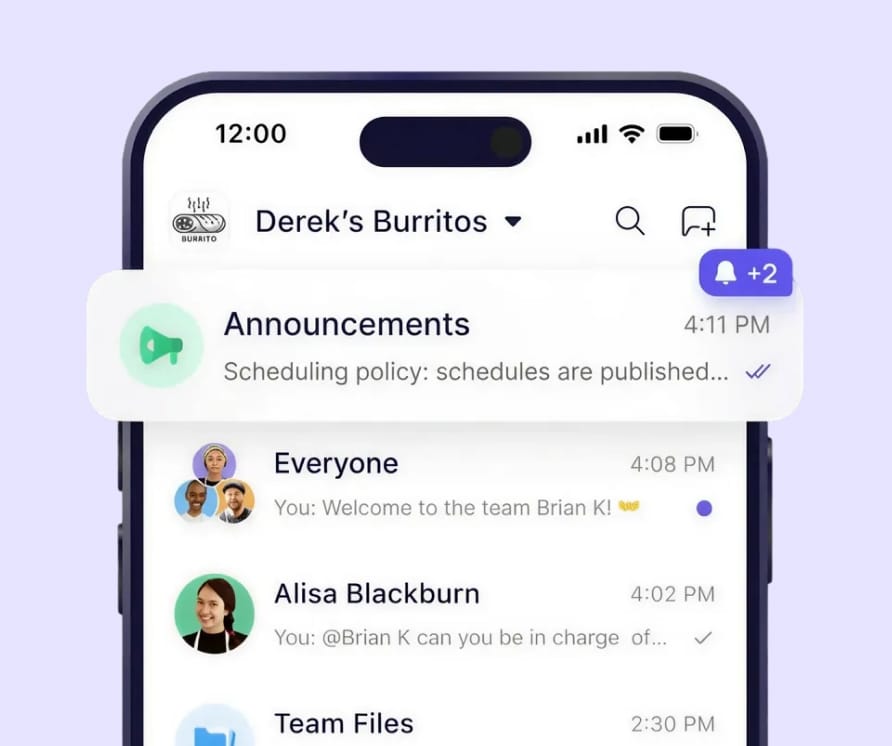
Area Directors Reach Every Store
Downtown stores short-staffed? Broadcast instantly. All stores see it. Coverage handled.

Area directors message their district or all stores

Store managers communicate within their location

Store managers communicate within their location

No sharing personal phone numbers
"In the event of short staffing at a downtown location, the area director who takes care of all the downtown locations would be able to invite people saying, hey, we have additional shifts that need coverage. Is anybody interested?
- Operations Director
10-store multi-unit operation
Short-Staffed? Pull From Other Stores
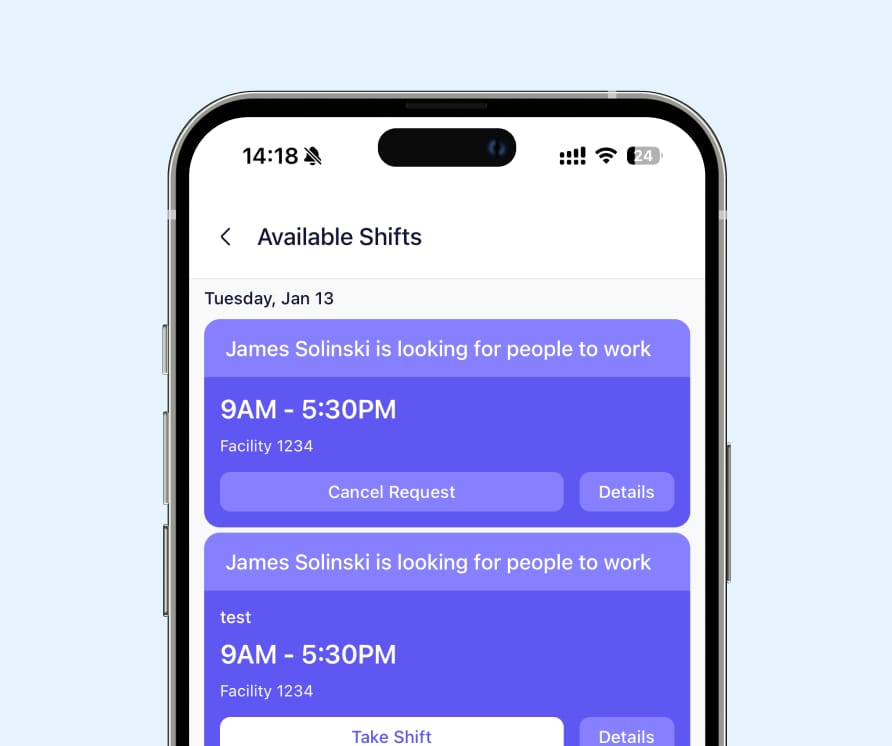
Someone calls out. Area director posts it. Staff from nearby stores apply.

Post shifts to one store or multiple stores

Employees across stores see opportunities

Approve coverage with one tap

Keep labor targets on track
Area directors can coordinate coverage across their district stores, not just within one location
Hit Your Labor Targets Every Week
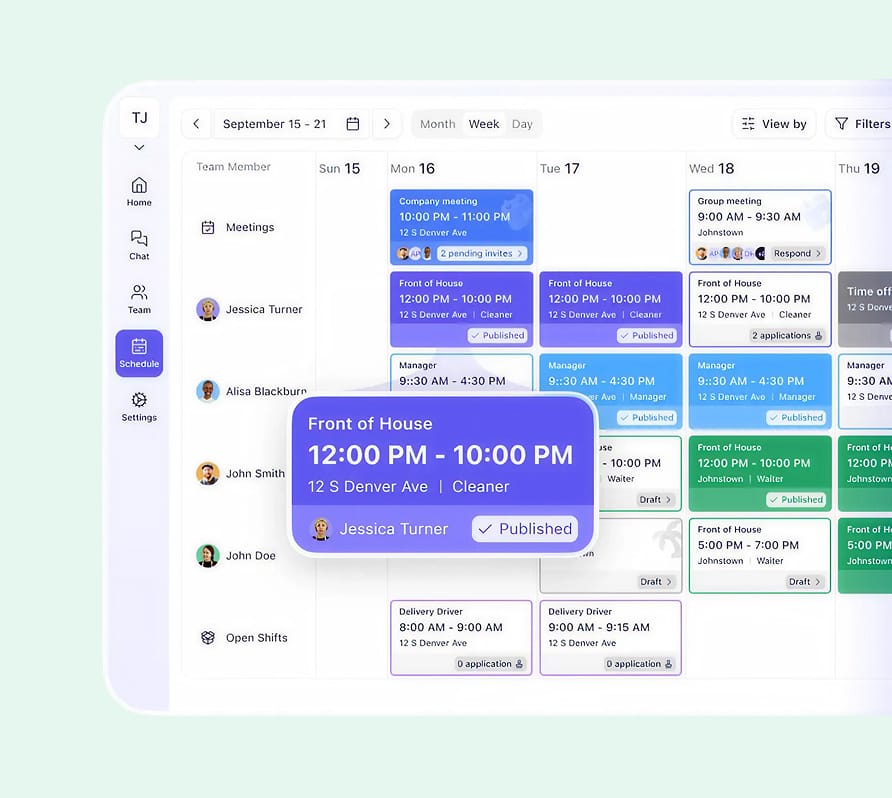
Area directors work with GMs. Build schedules. Track hours. All in one place.

Build schedules that hit labor percentages

Upload existing schedules or build from scratch

Color-code by department or role

See total hours at a glance
"The area director will work directly with the general manager to set up the schedule to try to hit the labor target. So it is manual, a lot of communication. The area directors, they're definitely not office managers - they're very rarely in the office, they're always in their stores."
Manage Your Whole District
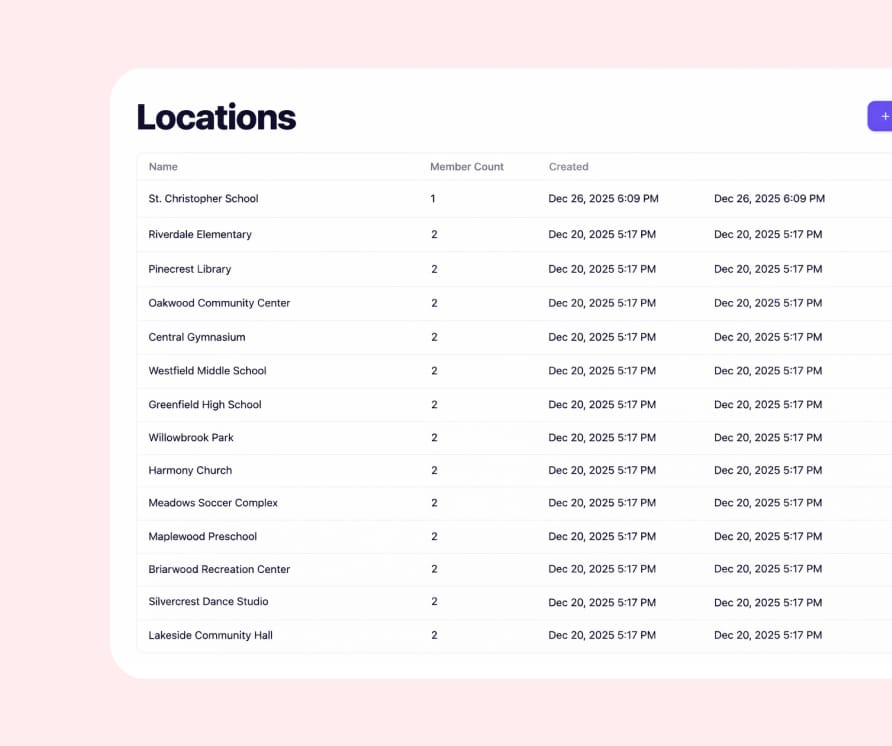
Toggle between stores. Each team stays separate. You see everything.

Separate schedule and chat for each store

Staff only see their store

Area directors toggle between their stores

District managers see all stores
District managers, area directors, and GMs all have the right level of access to coordinate across stores





"We have one property that's broken into different departments. We can change over to front desk, change over to housekeeping, food and beverage. We color code everything by department so when I'm glancing at things I can make sure I've got a cook on every day."
- Clifford Weber, Operations Manager
35+ employees
"We were printing out paper schedules every month. We are trying to get as far away from that as possible. I would love to be able to see and approve changes of shifts so I'm not surprised as to who's in."
- Stefano Fontana, Health & Wellness Director
20+ staff members
"We use Breakroom for everything! If we need a shift covered, we post in Breakroom. If one of the stores is low on food, we have a group chat made specifically for food transfers so we can share stock as needed."
- Emily Payton, Area Coach
30,000+ team members


Get your team up and running with Breakroom Chat in 60 seconds. Or schedule a free, personalized demo today.