

Creating a chat in Breakroom Chat App is quite simple. On the "Chat" page, just click on the "+" icon in the top right corner, select who you want to create a chat with and select "Next"
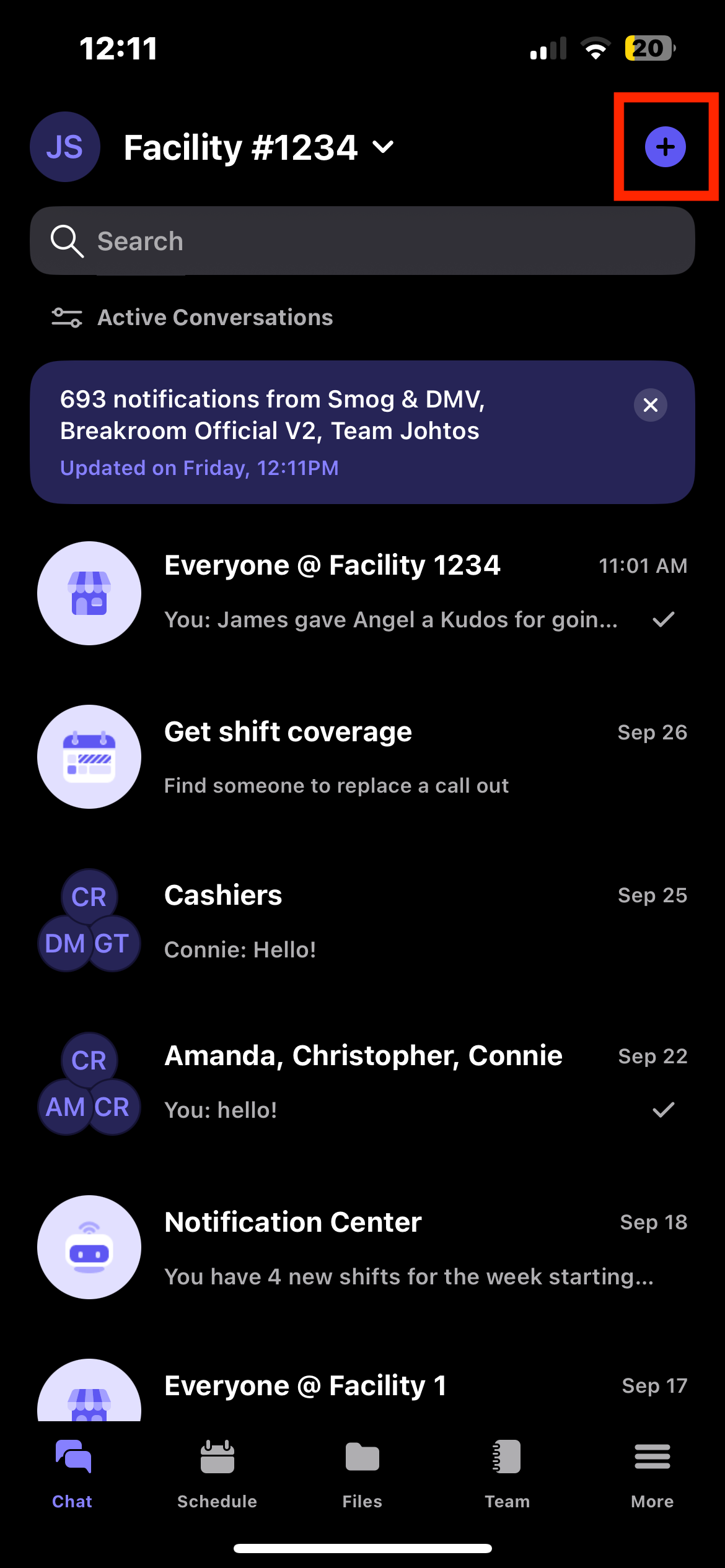
To rename the chat, click on the 3 dots in the top right corner and click on the "pencil" icon on the right side. Note that you can only rename a chat if it is a group chat with three or more people.

On the "Edit" page, you can also add and remove team members to a chat. This means you do not need to create a completely new chat when you hire and remove team members. Any team members added will have access to the chat history.

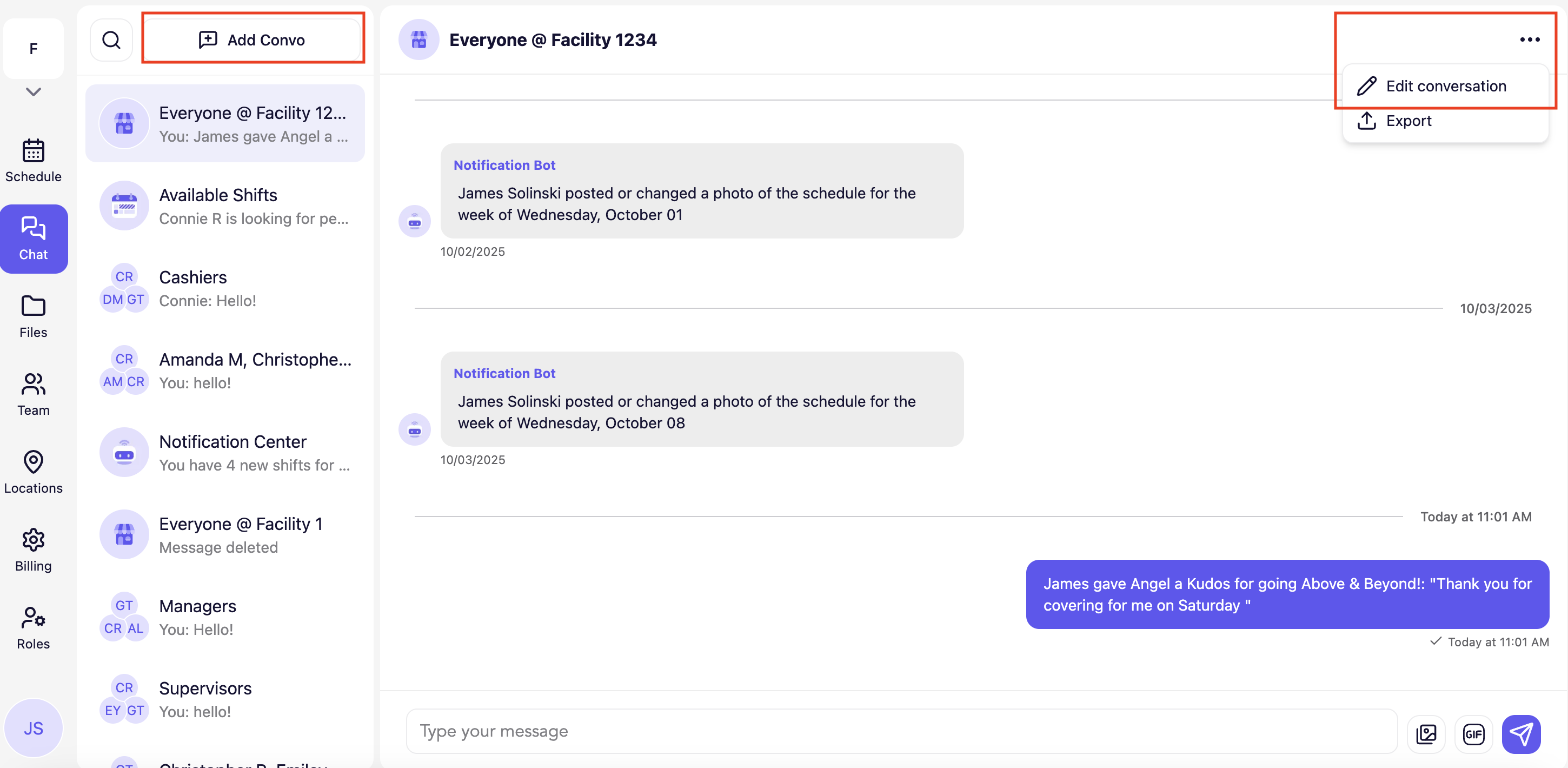
You can create and rename chats on the desktop version of Breakroom Chat by clicking on "Create Conversation" button and the 3 dots in the top right corner
Breakroom Chat as a Crew App Alternative
Breakroom Chat as a Slack Alternative
Breakroom Chat as a When I Work Alternative
Breakroom Chat as a Homebase Alternative
Breakroom Chat as a Microsoft Teams Alternative