

To create a tasklist in Breakroom Chat, log into your account on breakroomapp.com > click on "Schedule" > choose a date to create an "Event" and select "Tasklist"
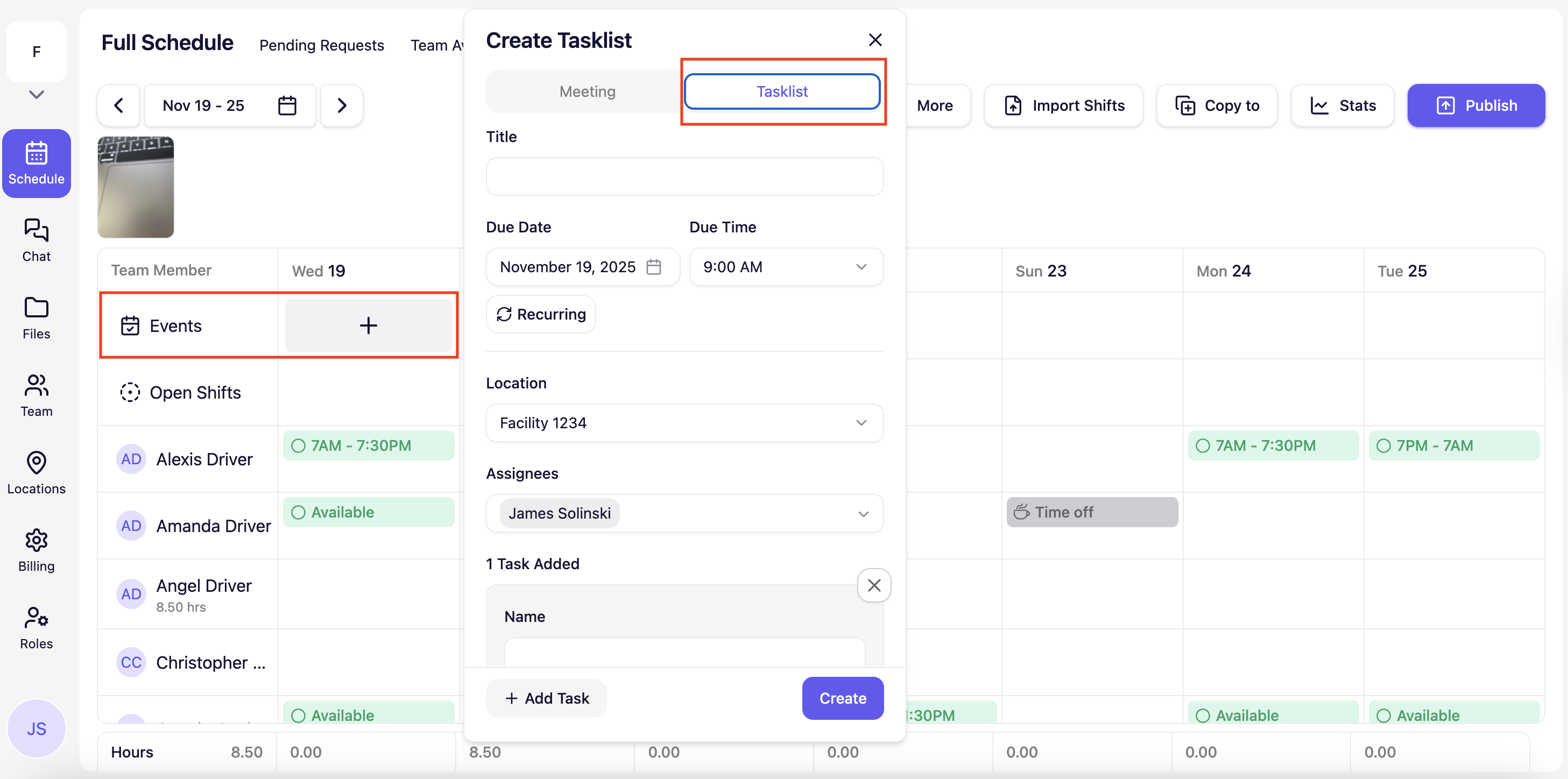
Select a title, due date/time, occurrence, and assignees responsible for the tasklist. Once that is filled out, feel free to add one task or multiple tasks to the tasklist.
There are three different types of tasks: 1) Checkmark, 2) Photo, and 3) Number.
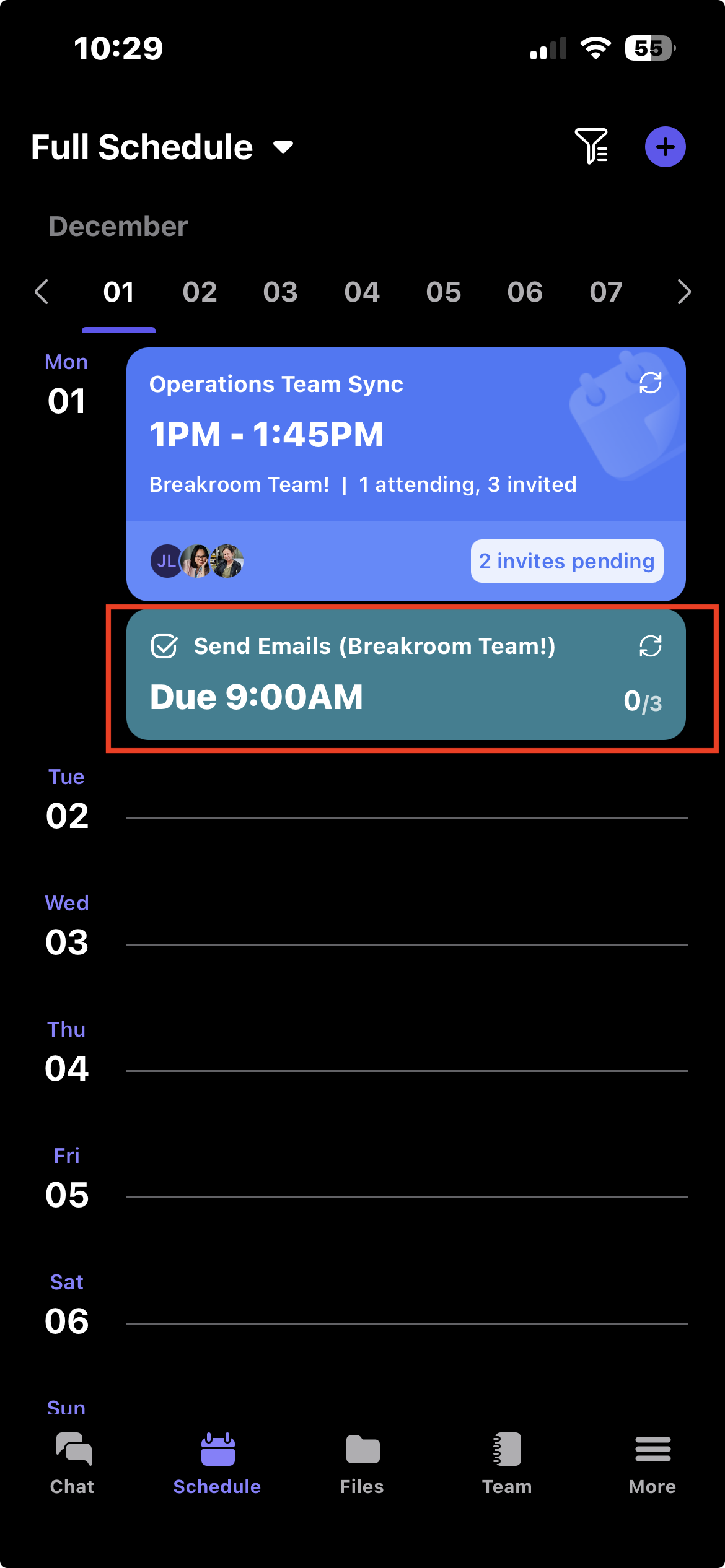
Once a tasklist is created, you and your team members will be able to see the tasklist and its tasks in the Breakroom Chat app by going to the "Schedule" page.
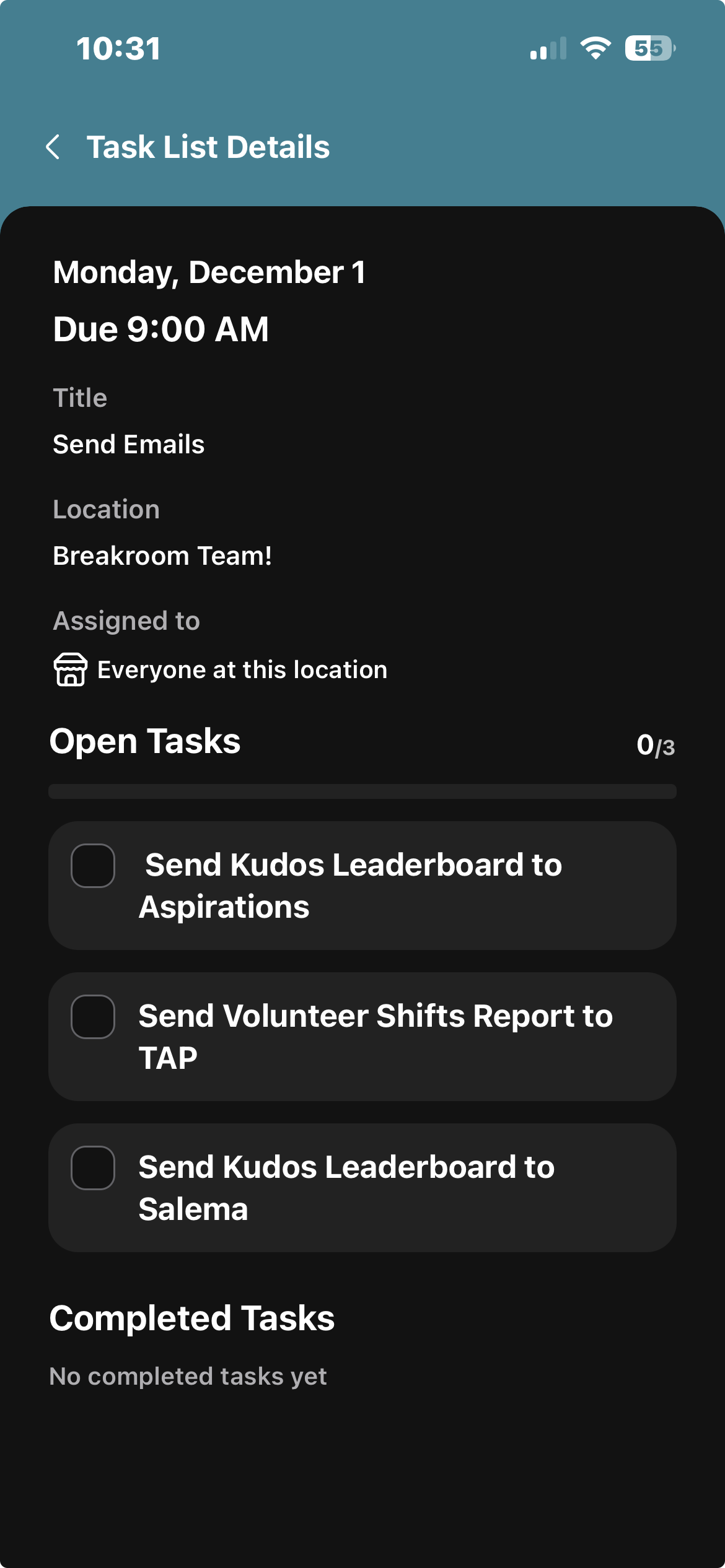
You and your team can complete tasks by clicking on the task. You can also reopen tasks if they were incorrectly completed.
Breakroom Chat as a Crew App Alternative
Breakroom Chat as a Slack Alternative
Breakroom Chat as a When I Work Alternative
Breakroom Chat as a Homebase Alternative
Breakroom Chat as a Microsoft Teams Alternative