

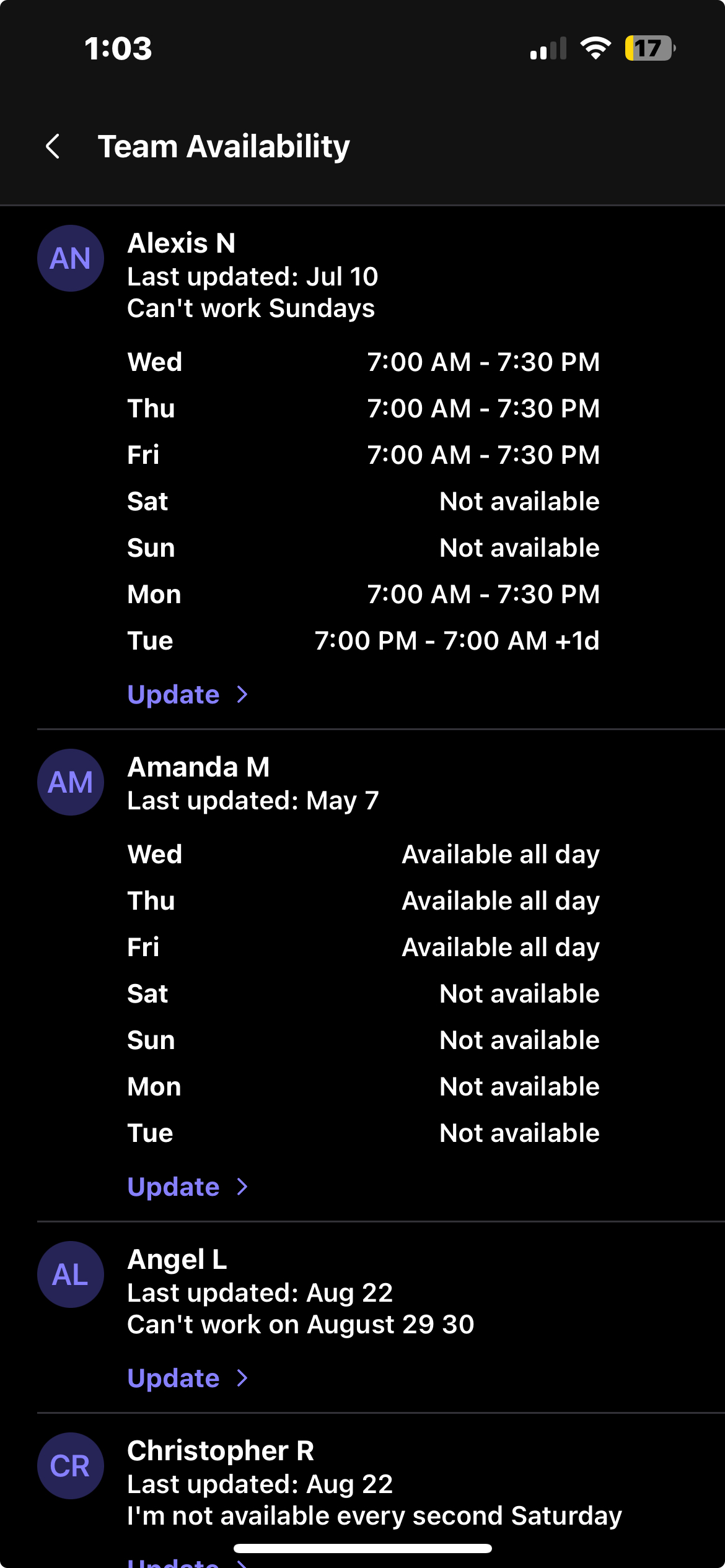
Team Availability is a way for team members to let their managers and owners know when they prefer to work. After team members fill out when they prefer to work, you can then see these times in the Breakroom Chat App.
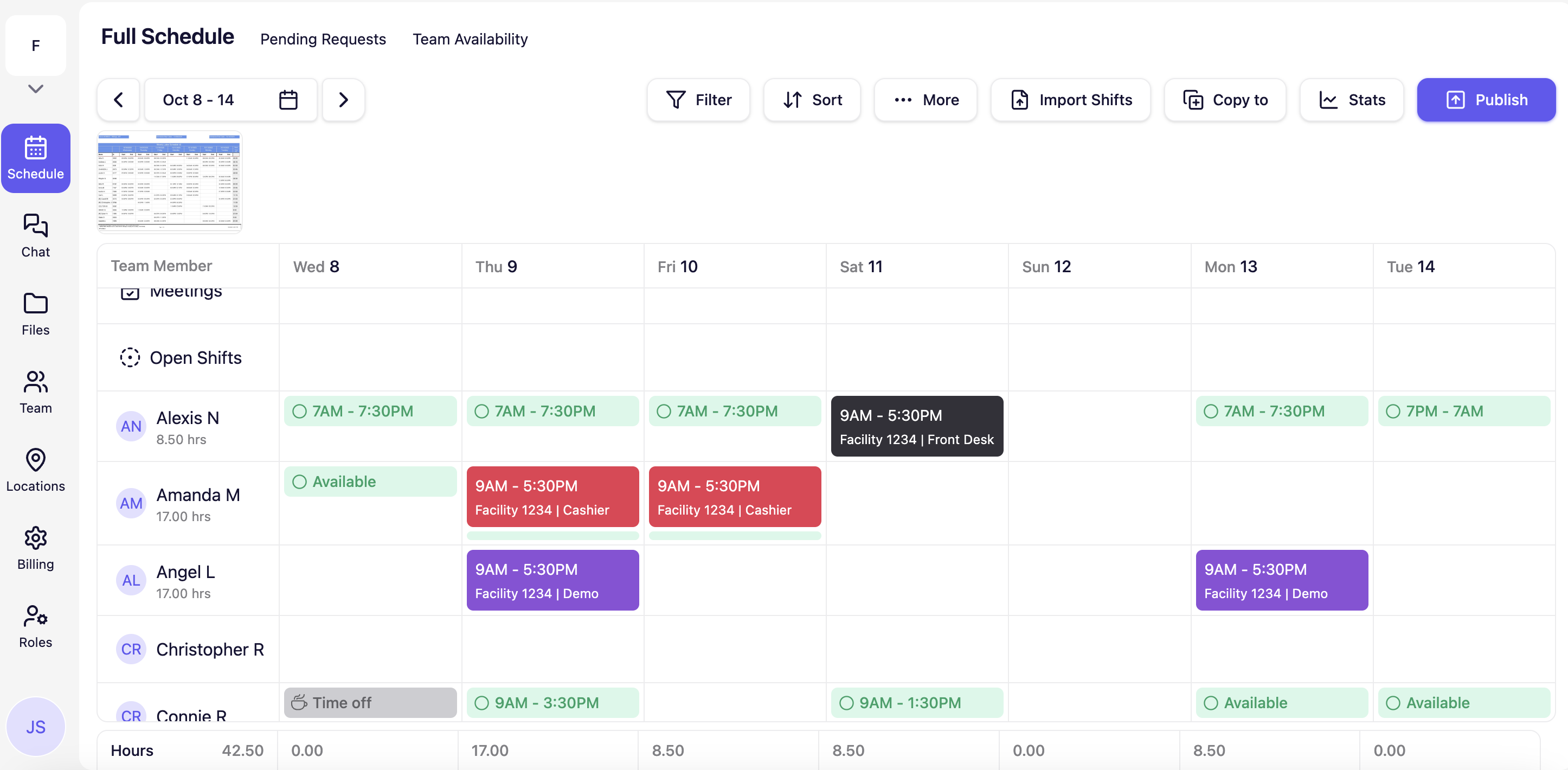
We've also overlayed Team Availability on the Schedule so you can see which team members are free when you are building the schedule.
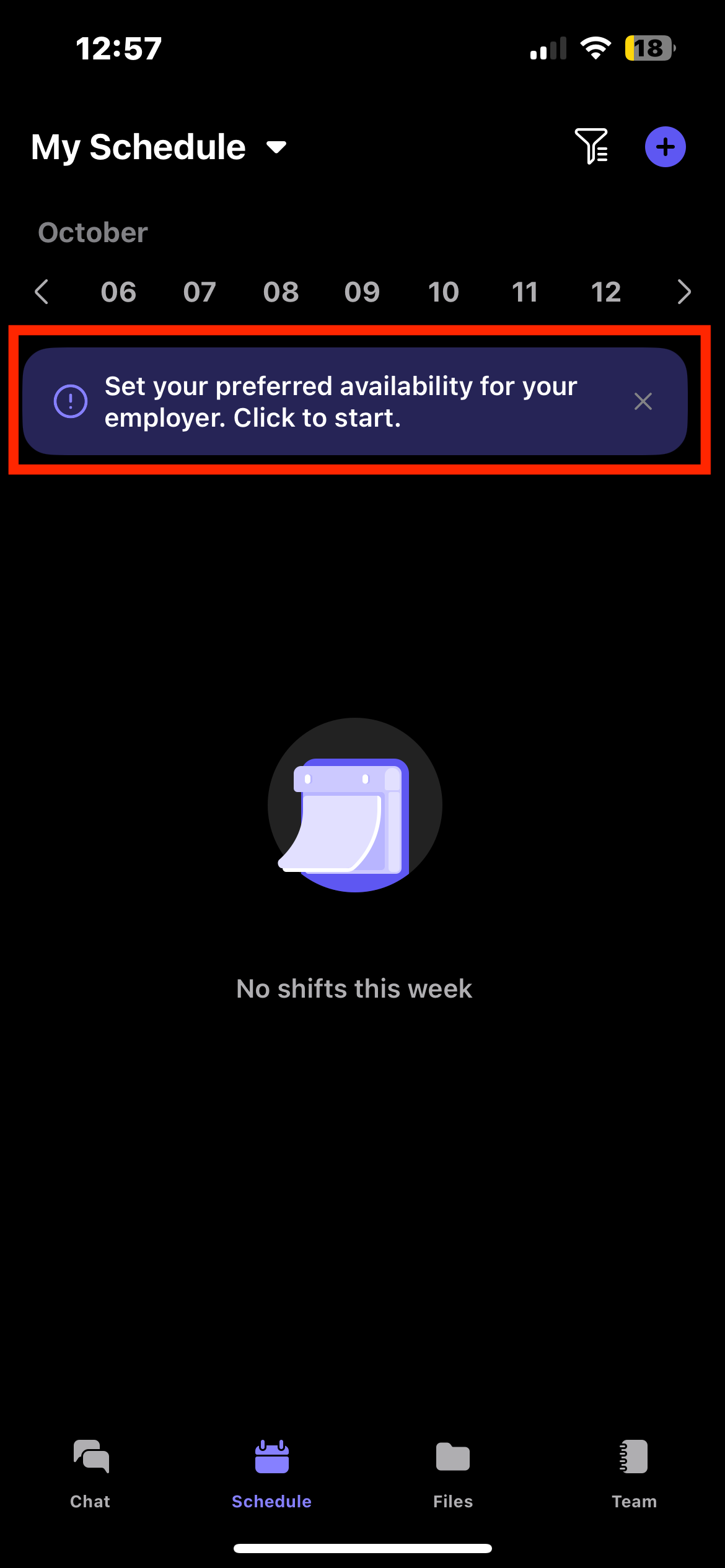
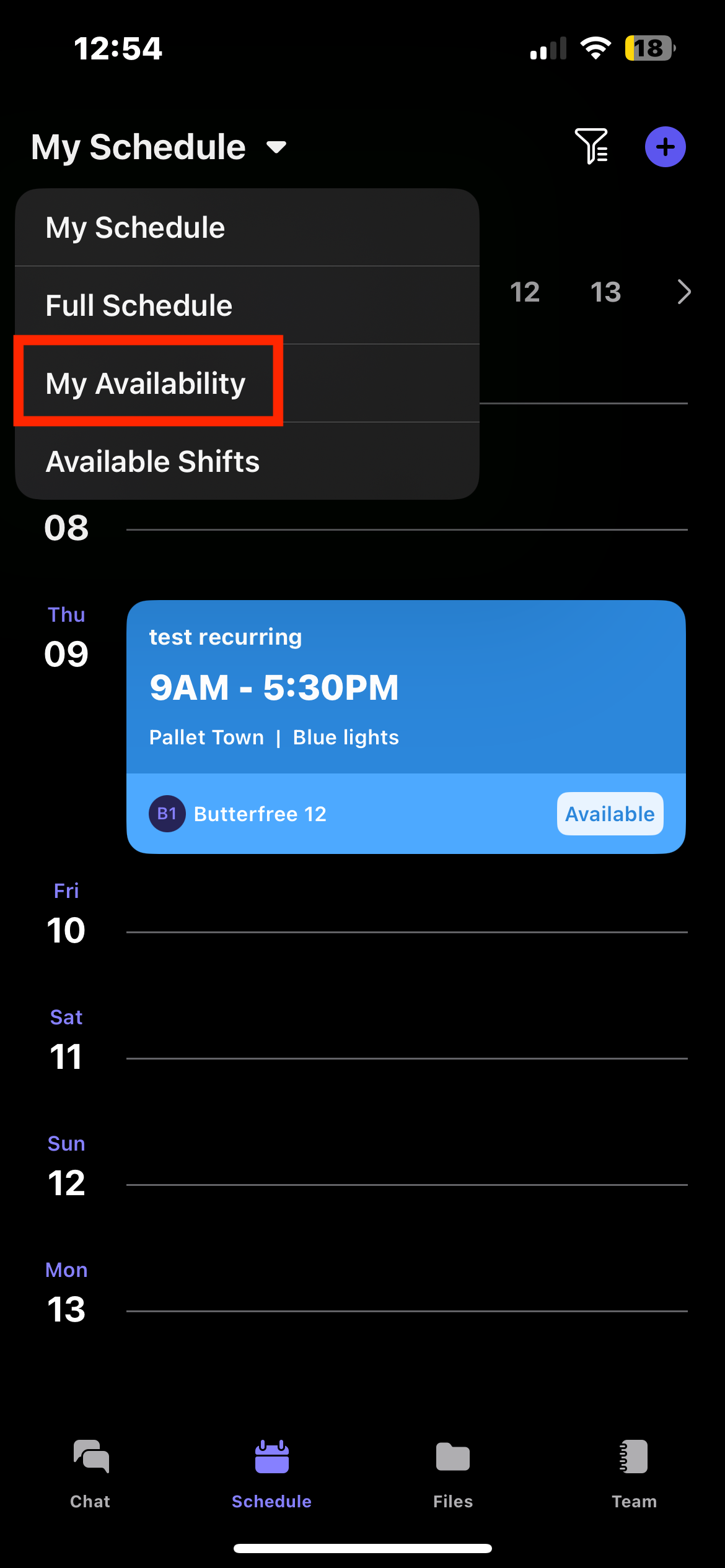
As a team member, you can fill out your team availability directly in the Breakroom Chat App by clicking on the"Schedule" page and click on the banner that asks you to fill it out. You can also click on the dropdown in the top left and select "My Availability".
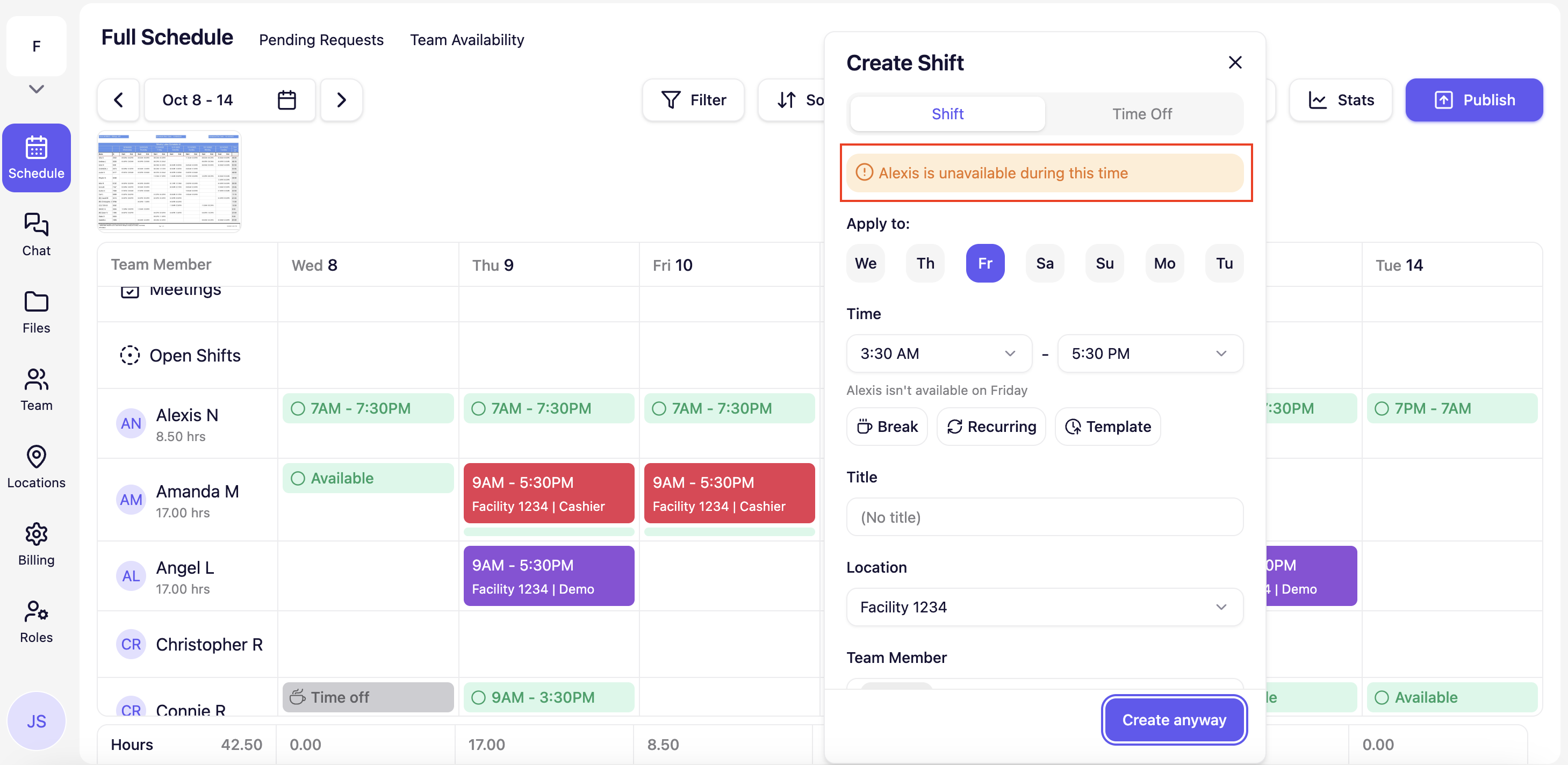
When you assign a shift to a team member during a time they are unavailable, we will let you know with a prompt (see below). However, you can continue to create the shift.
Breakroom Chat as a Crew App Alternative
Breakroom Chat as a Slack Alternative
Breakroom Chat as a When I Work Alternative
Breakroom Chat as a Homebase Alternative
Breakroom Chat as a Microsoft Teams Alternative