

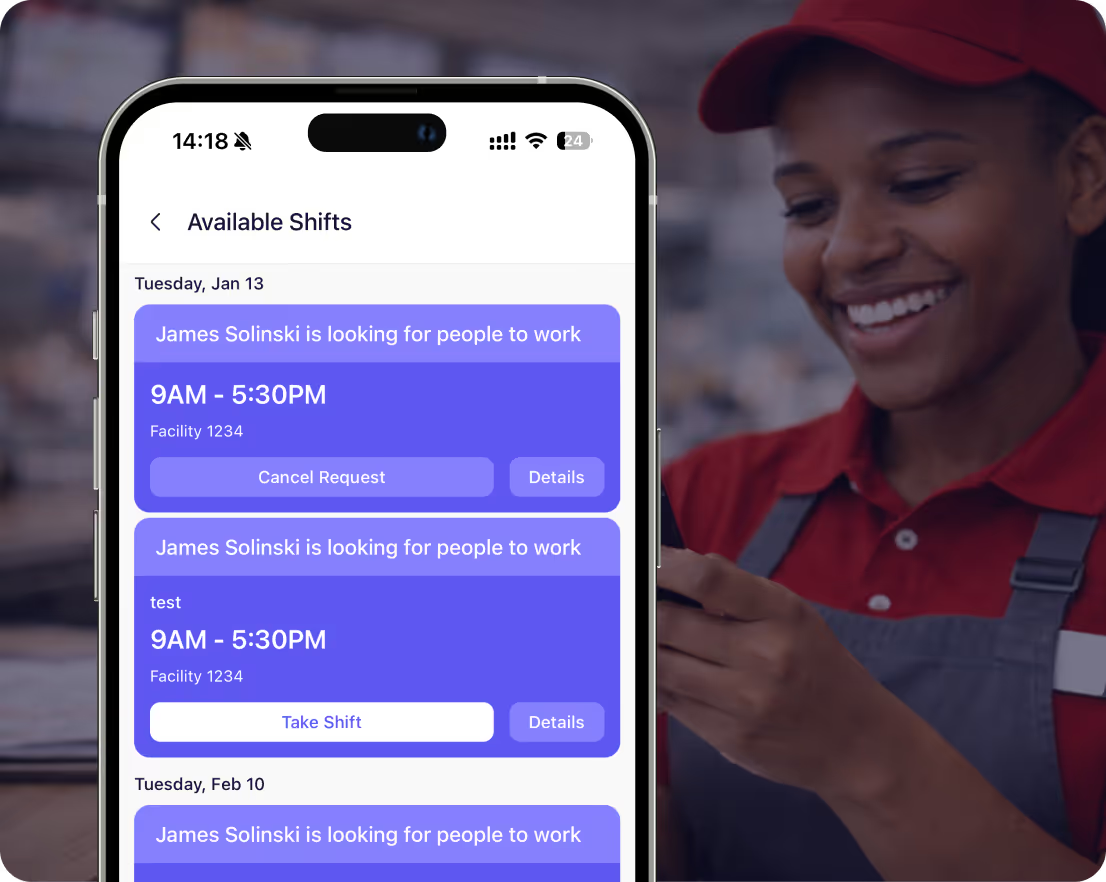
Stop texting everyone when someone calls out
Employees post open shifts or request coverage from their phones. Team volunteers. You approve or deny in one click. No more calling down the list or group text chaos when someone can't make their shift.




















Coverage requests that don't blow up your phone


Employee calls out sick, requests coverage from the app. Entire team gets notified instantly, volunteers can claim the shift.
Post open shifts for events or busy days. Team members apply, you pick who works. No more texting each person individually.
You approve or deny coverage requests. Control who covers what. First come first serve or manager approval, your choice.
Notify team members in the specific roles you need without you having to ask them directly
How it works
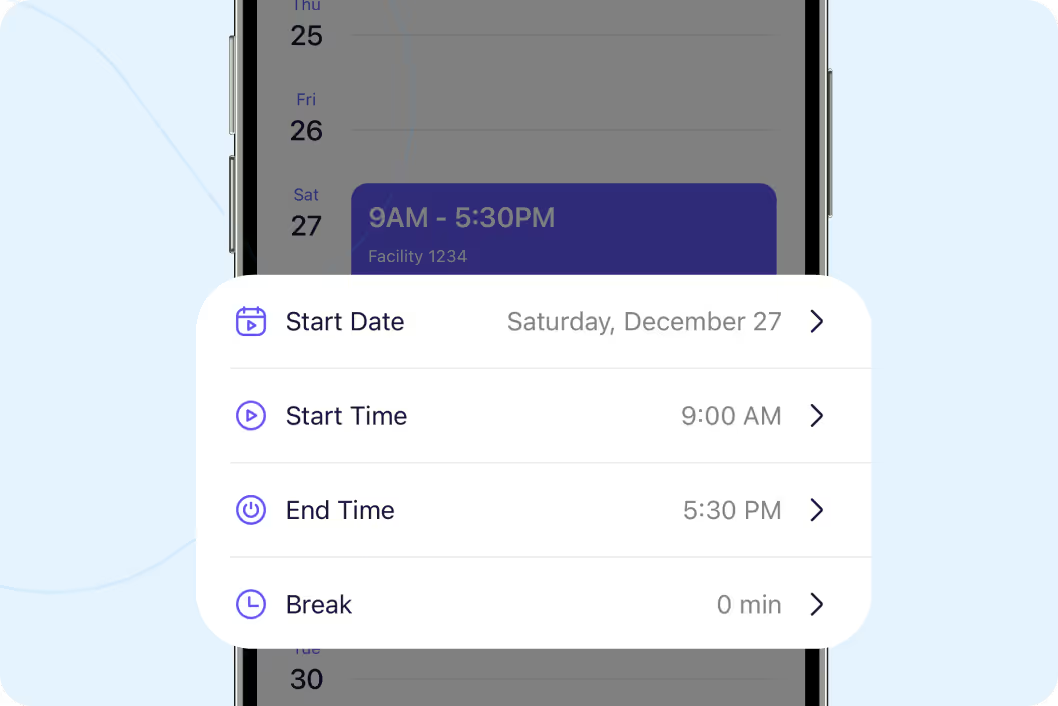
Employee needs coverage, posts from their phone
Someone's sick or can't make their shift. They click "Request Coverage" on their shift. Team gets notified. People volunteer to cover. You see all the volunteers and approve the best fit. Replaces texting everyone or calling down the list.
Start your free trial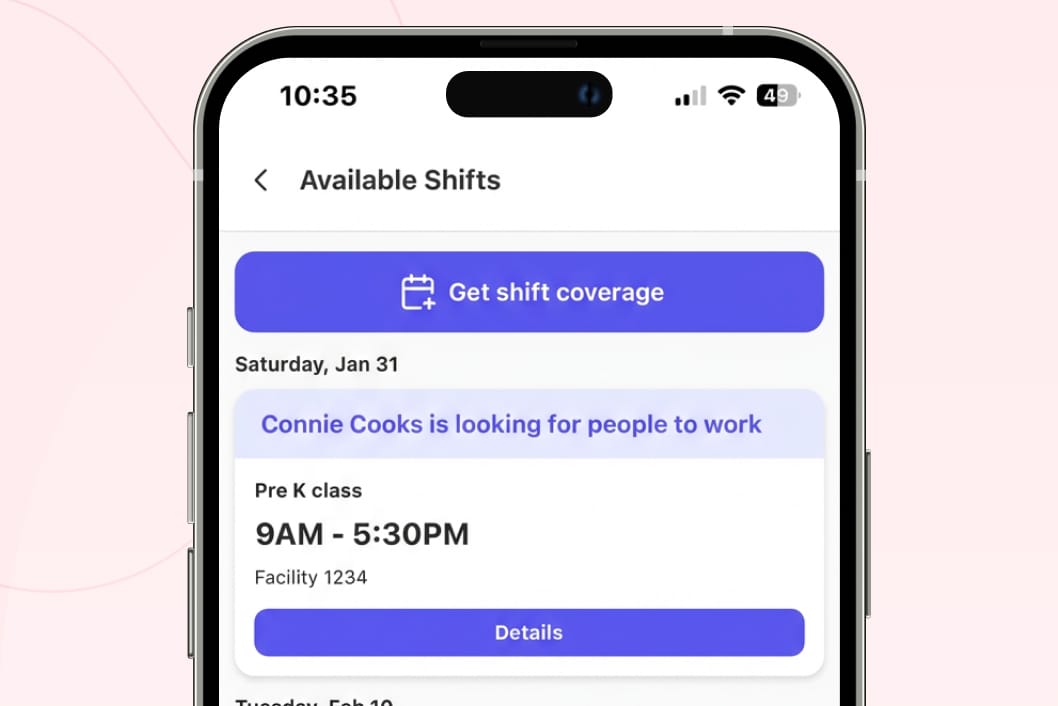
Post shifts and let people claim them
Busy weekend coming up or need extra coverage for an event. Create open shifts and publish. Team sees them in the app and can apply. You approve who gets the shift. Perfect for fluctuating needs or events.
Start your free trial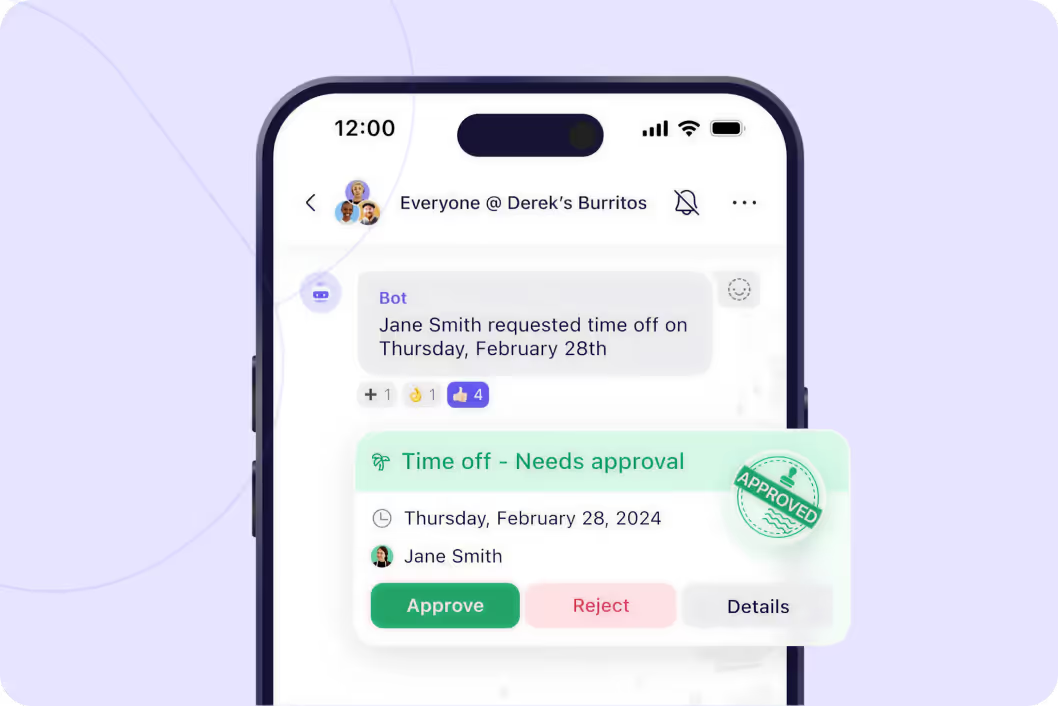
You control who covers what
All coverage requests come to you for approval. See who volunteered, check if they're qualified for that role, approve or deny. Or turn on first come first serve if you want team to handle it themselves.
Start your free trial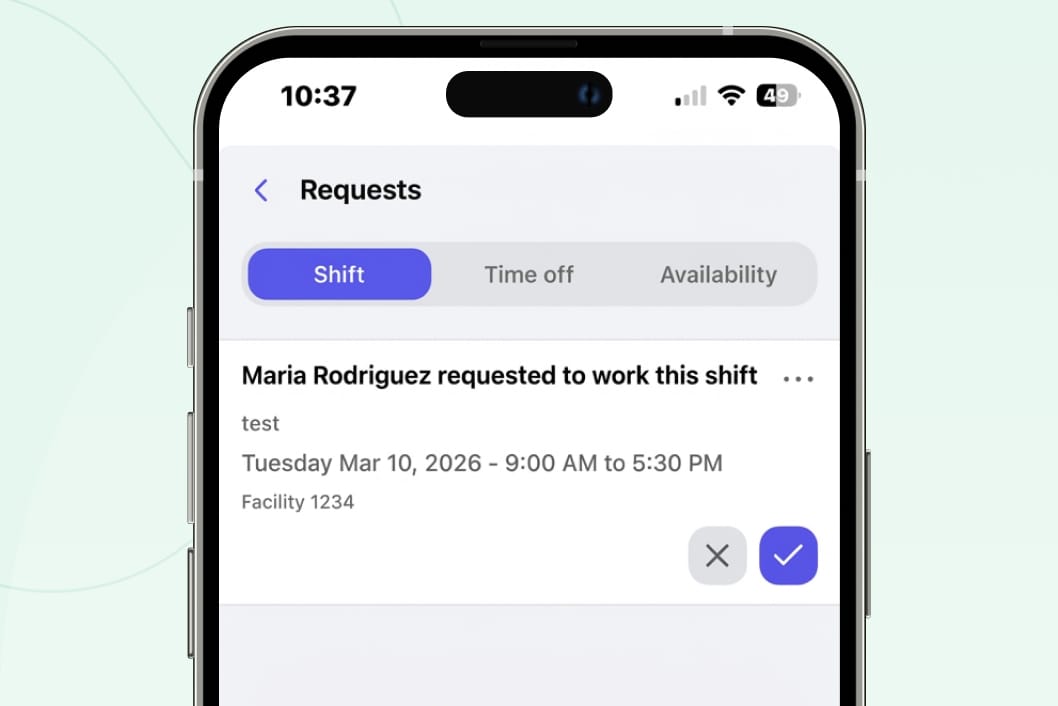
People raise their hand, you pick
Instead of you hunting for coverage, team volunteers when they can work. They see open shifts or coverage requests in the app. Click to volunteer. You get a list of everyone interested and pick the best person.
Start your free trial




"One of our Rhode Island general managers found Breakroom, and they've been using it for our Rhode Island locations, and they love it. So our vice president just asked me to look into it to possibly convert the whole company."
Vicki Zufanti
Wendy's & Tropical Smoothie
"One of my managers was doing some research and they came across Breakroom and some of them have started using it, where they took it upon themselves to buy it and start using it and they're like, oh, we really like it. It's very similar to Crew."
Dennis Blanco
"I think Breakroom will work well for us. We've looked at a lot of different systems. I need it to be pretty simple, and I can't have them walk through 10 different steps. I need to be, like, quick, and they'll do it."
Benjie Kushins

Stop scrambling for last-minute coverage
Employee clicks their shift, requests coverage, team gets notified instantly.
Instead of you asking everyone, team raises their hand when they can help.
You see all volunteers, pick the best fit, approve in one click.
Let team handle coverage themselves with first come first serve if you prefer.
Post shifts for busy periods, team applies, you pick who works.
Everyone gets notified the second a shift needs coverage or opens up.
Run your entire operation
Build and share schedules in minutes. Everyone sees their shifts instantly.
Message your team without sharing phone numbers. See who read important updates.
Employees request time off from their phones. You approve in one click.
Keep phone numbers private. Delete inappropriate messages. Export for HR.
Why operators choose Breakroom
Group Texts/ Slack
- ❌ Call everyone on the list when someone calls out
- ❌ Group text blows up with replies and side conversations
- ❌ Don't know who's available or wants to work
- ❌ No record of who volunteered or who you approved
- ✅ Employee requests coverage, team volunteers automatically
- ✅ All requests go through the app, organized and quiet
- ✅ See exactly who wants the shift before you decide
- ✅ Full record of coverage requests and approvals
Got questions?
Employee clicks their shift and selects "Request Coverage." Team gets notified. Anyone can volunteer to cover. All volunteers show up for you to review. You pick who covers and approve. They get notified they're assigned.
Yes. You can set coverage to first come first serve. First person to claim the shift gets it automatically. No approval needed. Most teams prefer approval so they control who covers what.
Shifts you create that aren't assigned to anyone. Post them when you need extra coverage for events or busy periods. Team can see open shifts and apply. You pick who gets assigned.
Yes. Coverage requests and open shifts are in-app only. This keeps everything organized in one place instead of scattered across texts and calls. Team can check and volunteer anytime from their phones.

